Everywhere, anytime.
A pro AI coding console for iPad.
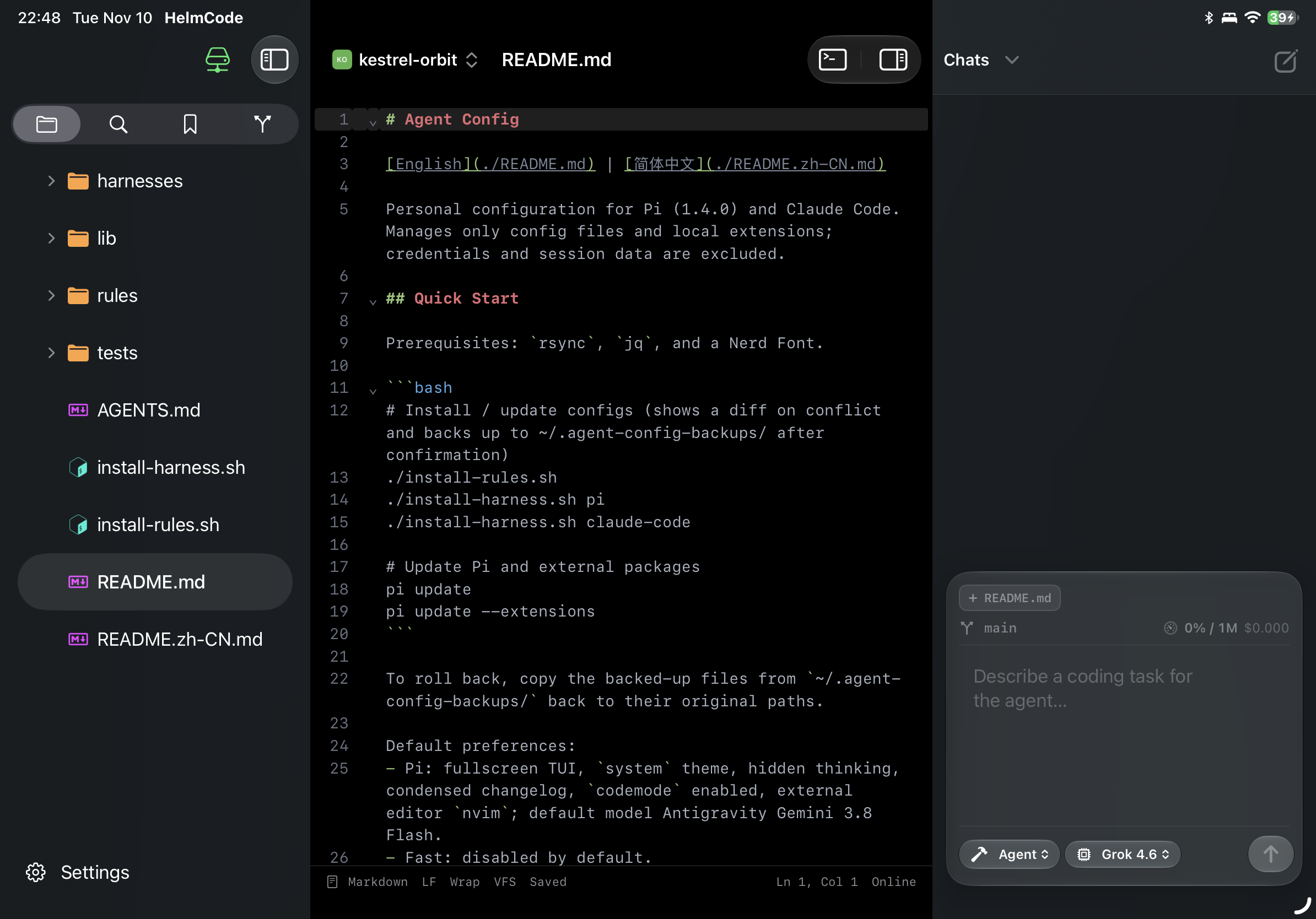
HelmCode is built from the ground up for touch and hardware keyboards. Powered by CodeMirror 6, multi-model Agent Commander, self-hosted WebSocket VFS, and full WebSSH terminal sessions.
Engineered for Tablet Productivity
Move beyond toy text viewers. HelmCode delivers true IDE capability with multi-column orchestration.
Native iPadOS Ergonomics
Crafted specifically for iPadOS with pure Swift and system split views. Fluid gesture navigation, multi-window support, and desktop-grade hardware keyboard shortcuts (⌘O, ⌘P, ⌘J, ⌘S) that feel instantly familiar on Magic Keyboard.
CodeMirror 6 Engine
Modern web-speed editing core bundled offline. Instant syntax highlighting across dozens of languages (Swift, TS, Go, Rust, Python, Dockerfile), responsive caret movements, and polished OneDark styling.
Agent Commander
Built on ACP (Agent Client Protocol). Seamlessly integrate OpenCode, Claude, Codex, Cursor, and Grok. Use / to trigger specialized skills and @ to anchor project context for precise code generation and refactoring.
WebSocket Remote VFS
High-performance virtual filesystem running JSON-RPC over WebSocket. Browse massive repos in milliseconds, stream chunked files effortlessly, and inspect Git branches, diffs, and staging trees in real time.
Full WebSSH Terminal (⌘J)
Hit ⌘J anytime to open an integrated PTY terminal powered by xterm.js. Run Bash, Zsh, Vim, Tmux, execute cargo test, npm build, or manage Docker containers directly inside your project scope.
100% Self-Hosted & Private
Your source code and secrets remain entirely under your control. Deploy runner-core as a lightweight container on your own workstation, home lab, or VPS. Device pairing tokens are locked in the Apple Keychain.
Decoupled Client & Sandbox Daemon
Offload heavy build toolchains and AI agents to your self-hosted backend, keeping the iPad client responsive and battery-efficient.
Lightweight Client, Unlimited Server Compute
HelmCode separates UI rendering from execution. The client handles input and navigation, while the headless runner-core daemon manages the virtual file system, PTY terminal streaming, and ACP AI model dispatch.
Client (iPad)
Pure SwiftUI shell hosting CodeMirror 6, NavigationSplitView, Commander drawer, and WebSSH terminal panel.
Gateway (HTTP + WebSocket)
High-throughput bi-directional streaming for VFS tree operations, Git status sync, and PTY I/O.
runner-core Sandbox Daemon
Node.js control plane powering Go-based helm-vfs, in-process terminal PTY, and ACP model harnesses.
• Go helm-vfs (Fast Workspace FS & Git)
• In-process PTY Terminal Stream
Up and Running in 3 Steps
Spin up the runner daemon on your server or laptop, then pair your iPad in minutes.
Run runner-core Container
Start the headless runner daemon on any machine with Docker installed:
-v $PWD:/app/workspace \
helmcode/runner-core:latest
Pair Your Device
Open HelmCode on iPad, tap 「Add Runner」, then enter your runner URL and pairing setup code:
Setup Code: SDCN-9XZS
Code with AI Velocity
Your remote files render instantly. Hit ⌘J for terminal or compose prompts in Agent Commander:
@server.ts Add rate-limiting middleware to this handler
Frequently Asked Questions
Everything you need to know about HelmCode architecture, data flow, and privacy.
Supercharge Your Mobile Development Workflow
Whether on a commute, in a cafe, or away from your desk, pick up your iPad and dive straight into deep coding flow.